
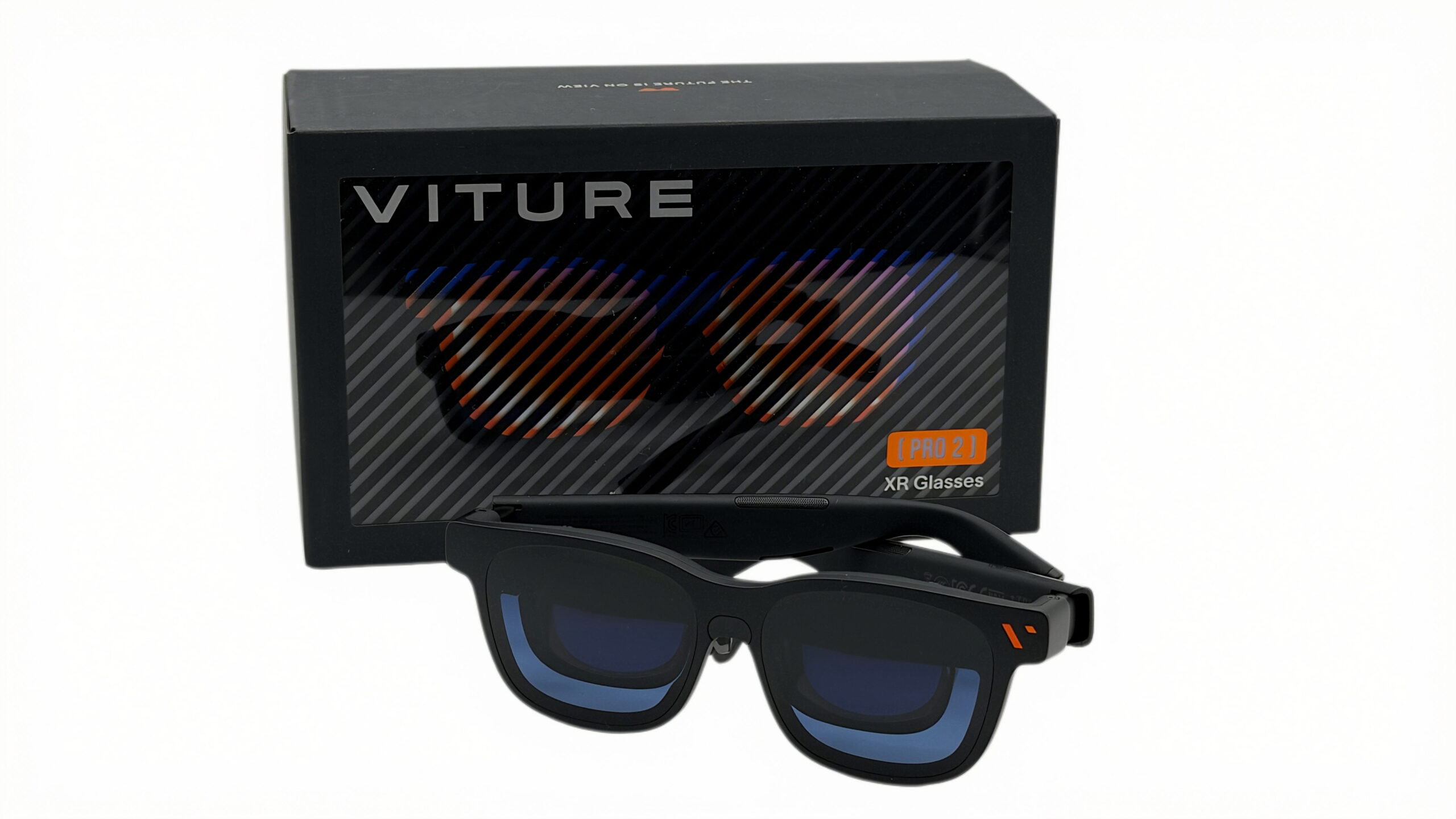
Thanks in large part to a collaboration between Meta and Ray-Ban, smart glasses with integrated displays that pair wirelessly with a mobile device for internet connectivity have become popular as a fast-evolving product category. The Meta Ray-Ban Display glasses ($799), for example, are designed to be a productivity, communications, entertainment, and information display tool that can be worn throughout the day.
The Viture XR Glasses Pro 2 adopt an entry-level and rather different approach to wearable technology in the form of eyewear. These can connect with a computer or mobile device using a USB Type-C cable, and then serve as the virtual screen equivalent to a 146-inch monitor to watch video content, gaming, and more.
These glasses offer integrated spatial audio, too. Two of the biggest differentiators are that these glasses are powered by the computer or mobile device they’re connected to, and in a matter of seconds can be adjusted to anyone’s eyewear prescription needs. This means there are no costly prescription lens inserts required.

Viture XR Glasses Pro 2
When used with the free SpaceWalker software or mobile app, the Viture XR Glasses Pro 2 can serve as a virtual multi-screen for a desktop or laptop computer. The glasses can also display content using an UltraWide mode, and provide real-time 2D-to-3D video conversion for a more immersive content viewing experience.
However, on their own, simply by connecting the glasses to a computer or mobile device, they will mirror what’s on that device’s display and provide a private, big-screen viewing experience that’s bright and crystal clear. And, with the use of a small and optional dock accessory, the glasses can easily be connected to a console gaming system, such as a Nintendo Switch, Sony PlayStation, or Microsoft Xbox. (Cloud-based gaming is possible from a computer or mobile device without the optional dock.)
The folks at Viture, Inc. recently provided me with a review unit of the Viture XR Glasses Pro 2 to experience first-hand. What I immediately discovered was that wearing these glasses to watch video content almost instantly creates a private viewing and listening experience that’s truly remarkable.
The setup takes just seconds (the time it takes to plug a USB Type-C cable into the glasses and a computer or mobile device). Then, these lightweight and comfortable glasses can provide countless hours of immersive entertainment without disturbing anyone around the person wearing them.
Keep reading to discover why I recommend the Viture XR Glasses Pro 2 to avid TV and movie watchers, gamers, people who spend a lot of time doom scrolling on social media, and even those who want to use the glasses to assist with productivity-related tasks.
Specifications
- Price: $299.
- Display Type: Two Sony micro-OLEDs.
- Display Resolution: 1080p (1,920 x 1,080 per eye).
- Screen Size Equivalent: 146-inches.
- Brightness: Up to 1,600 nits.
- Display Refresh Rate: 120Hz.
- Field of View (FOV): 50-degrees (without using the SpaceWalker app).
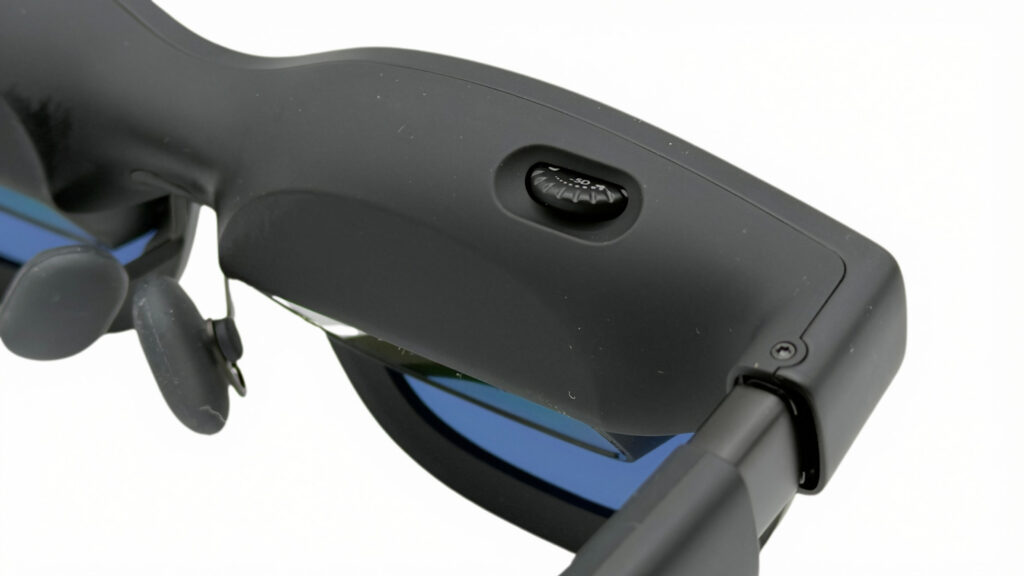
- Myopia Adjustment: Independent dials for each eye (0.0D to -5.0D), so there’s no need for prescription inserts.
- Weight: 1.83 ounces.
- Integrated Audio: AAC acoustic system with spatial audio.
- Wired Connectivity: USB Type-C cable (provided).
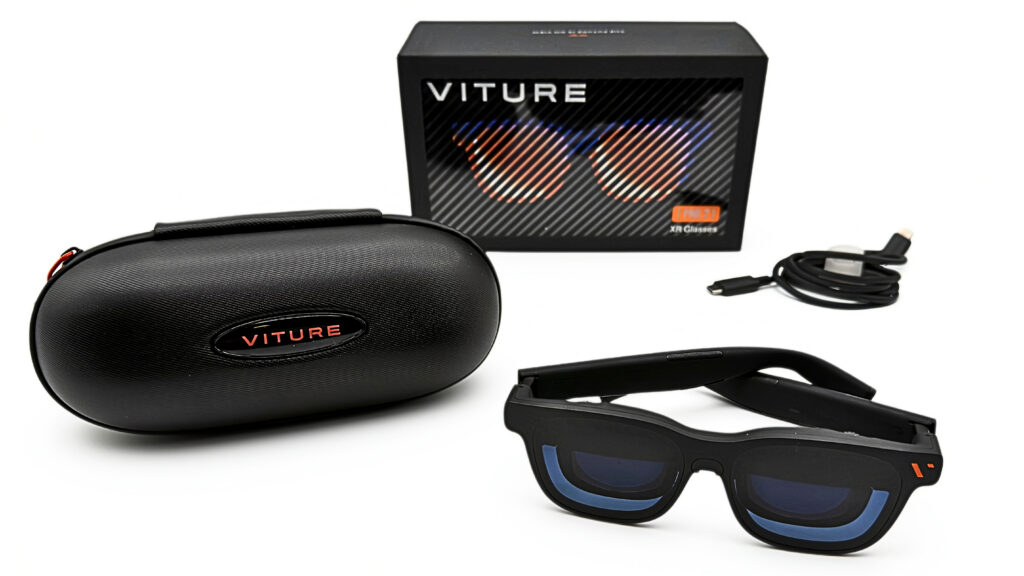
- What’s Included: XR glasses, lens shade, case, and cables.
- Plug-and-Play Compatibility:: iPhone, iPad, Android devices, PCs, Macs, Steam Deck, ROG Ally, and more. Video game consoles require an optional dock accessory.
- Software / Mobile App: SpaceWalker (unlocks advanced features, including multi-screen virtual desktops, UltraWide mode, and real-time 2D-to-3D conversion).
Pros
- Lightweight and very portable.
- Excellent resolution and clarity.
- No prescription lens inserts required.
- Adjustable and swappable nose pads.
- Affordable.
Cons
- Requires the optional Dock Mini ($79) or Mobile Dock ($99) to connect with a gaming console.
- Frames are plastic and somewhat fragile.
- Glasses must be used with a wired connection to another device.
What are the Viture XR Glasses Pro 2?
With a low price of $299, the Viture XR Glasses Pro 2 are considered entry-level augmented extended reality glasses. They easily connect to a wide range of computers and mobile devices. These are wired glasses with no internal battery, so they must be connected to a computer or mobile device via a USB Type-C cable to operate and for power. These glasses can also be connected to a console gaming system, such as a Nintendo Switch, Microsoft Xbox, or Sony PlayStation, but an optional dock accessory is required.
Right out of the box, I was able to plug one end of the supplied USB Type-C cable into the right temple (arm) of the glasses and the opposite end of the cable (one at a time) into my iPhone, iPad, Windows laptop, or MacBook and immediately experience screen mirroring.
Thus, whatever appeared on the screen of the device I was using could be seen through the glasses, which provide the equivalent of a 146-inch, 1080p resolution display with a 50-degree field-of-view, 120Hz refresh rate, and up to 1,600 nits of brightness — all impressive hardware specs based on the XR (extended reality) eyewear’s sub-$300 price.
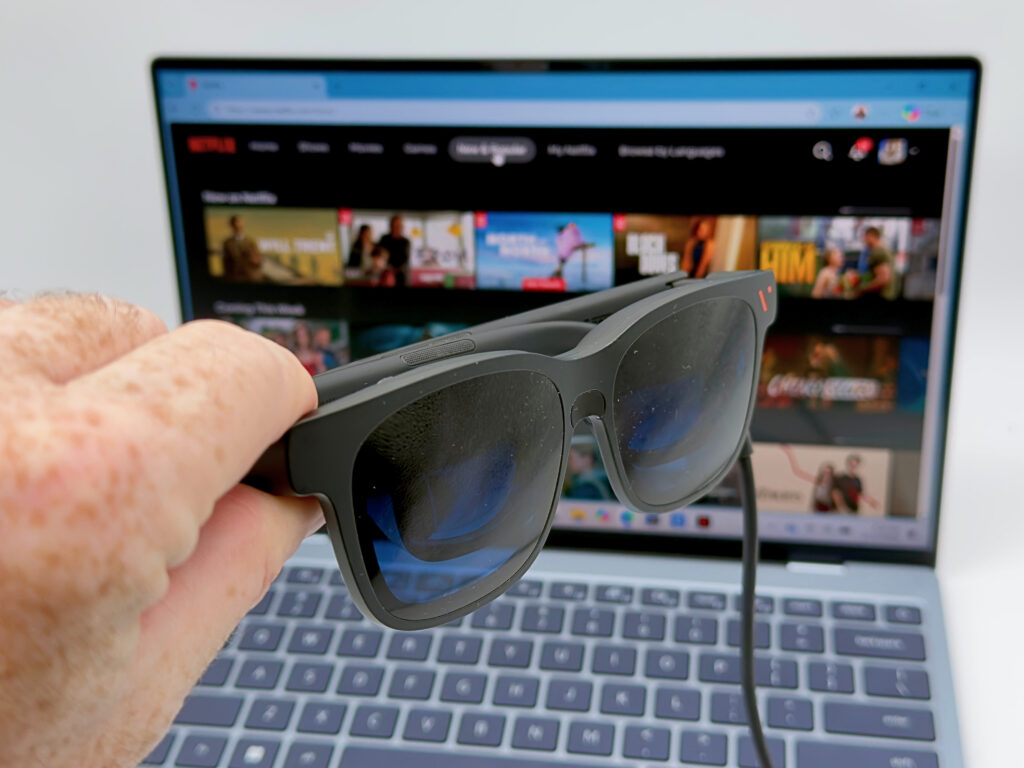
The Viture XR Glasses Pro 2 are perfect for watching TV shows, movies, social media streams, vertical micro-dramas, and other video content white lying in bed, sitting in an airplane, or lounging almost anywhere else where you want a home theater experience from your computer or mobile device just by putting on the glasses.
In addition to the sharp and bright picture, the Viture XR Glasses Pro 2 offer an impressively high-quality integrated sound system that includes spatial audio speakers with physical controls found on the left temple of the frames. One thing I noticed is that while the immersive sound quality is exceptionally clear, the eyewear’s speakers lack noise cancellation. So, if there’s a lot of ambient noise in the area where the glasses are being used, that sound can be heard, too.
When the free SpaceWalker companion app is installed on a Windows or Mac computer, Android device, iPhone, or iPad, this unlocks additional features, including an enhanced XR experience that offers head tracking, multi-screen support, 1-click 3D, a virtual ultrawide display, real-time 2D-to-3D conversion, immersive 3D, and more. I found the app and software to be well-designed, but do require some tinkering to achieve the most desirable results.
It’s important to note that the Viture XR Glasses Pro 2 are not the only high-tech eyewear offered by Viture. Five different products are currently offered, with the Viture Pro 2 model being the least expensive. Also available from the company’s website and retailers like Best Buy are the Viture Beast ($549), Viture Phantom Beast ($599), Viture Luma ($399), Viture Luma Pro ($499), and Viture Luma Ultra ($599) glasses. Each offers a slightly different design which impacts the weight, size, resolution, field of view, feature set, and brightness of the picture, for example.
Compared to the previous generation of the Viture XR Glasses Pro, the Pro 2 edition is 16% thinner and 20% lighter. As someone who normally wears prescription glasses, one of the best features of the Pro 2 glasses for me is that no prescription lens inserts are required. Instead, the glasses are equipped with twin diopter dials (with a range of 0 to -5.0), so in seconds they can be adjusted to adhere to the wearer’s prescription.
Are the Viture XR Glasses Pro 2 Considered “Smart Glasses”?
The answer to this question is both yes and no (leaning more to no). The Viture XR Glasses Pro 2 do not offer standalone computing functionality, a built-in camera, a microphone, or integrated AI. They also do not support hand or head movement to interact with displayed content (unless you add an optional accessory). They do, however, offer a wearable display, but only when they’re connected to a computer or mobile device via a USB cable. This is different from what the battery-powered Ray-Ban Meta smart glasses (with a built in camera and microphone) offers, for example.
Thus, the Viture XR Glasses Pro 2 cater more to users who want a private visual display for watching and hearing video content or for gaming. The experience of wearing these glasses is like watching a movie on a big screen television with a surround sound system, but neither the video or sound disturbs the people around you.
What’s the Difference Between XR, AR, and VR Glasses?
Confused about what all of these new technologies being introduced into eyeglasses offer? Each of these technologies are designed to handle completely different tasks. Here’s a quick overview:
- XR (Extended Reality): This is the technology used by the Viture XR Glasses Pro 2s, which means the eyewear serves as a wearable display that plugs into another device to simulate a big-screen TV viewing experience with accompanying audio. The main use is to watch video content or play video games on what appears to be an extra-large virtual display. What’s happening in the real world can be seen in the wearer’s peripheral vision, unless a lens cover is placed on the glasses while they’re being worn.
- AR (Augmented Reality): With this technology, the wearer of the glasses sees what’s in the real world through the lenses, while computer-generated content is overlaid. These glasses can create a heads-up display (HUD) to showcase text-based captions or translations during a conversation, walking or driving directions, or superimpose graphics over what the wearer is seeing.
- VR (Virtual Reality): This technology replaces the real-world environment with a three-dimensional virtual environment that’s entirely computer generated. When wearing virtual reality glasses, you’re shut out from the outside world and become fully immersed in the digital environment. While many types of VR glasses are available to consumers, the technology has not yet been widely adopted, so VR content is somewhat limited.
What Can the Viture XR Glasses Pro 2 Do?
Right out of the box, the Viture XR Glasses Pro 2 can be connected to a computer or mobile device (with no additional hardware or software required) and be used as a virtual big-screen monitor. These capabilities increase when the glasses are used with the free SpaceWalker software or mobile app. When used with the optional dock, the glasses work seamlessly with a console-based gaming system, too.
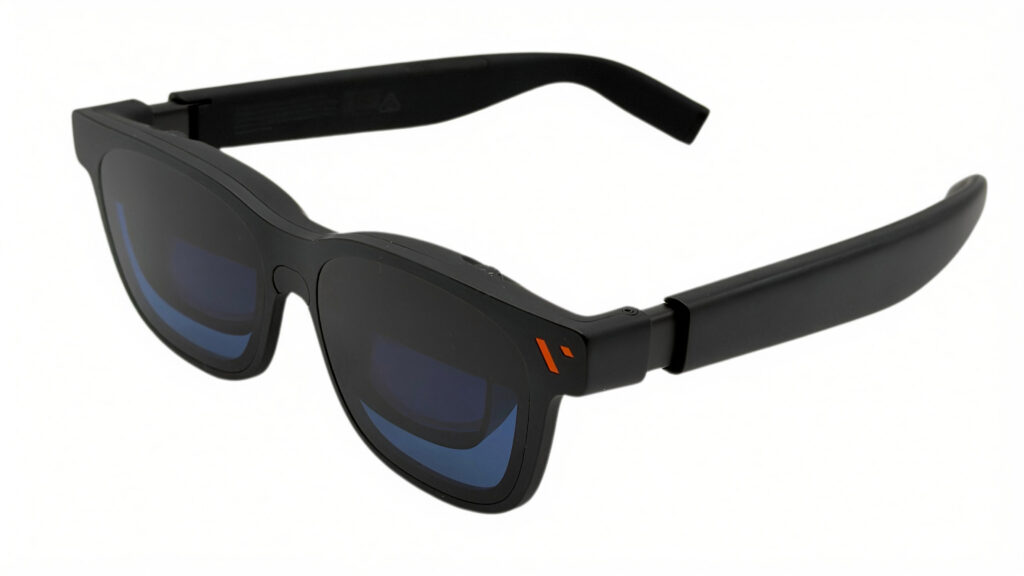
From the outside, the Viture XR Glasses Pro 2 look like slightly oversized traditional eyeglasses. They’re lightweight, pretty thin, and rather comfortable to wear. In fact, the nose pads on the frames are interchangeable and adjustable, and the temple angle is manually adjustable to help create the best fit.
Built into the glasses are a pair of state-of-the-art, micro-LED displays and spatial audio speakers that transform whatever would appear on the display of a computer or mobile device into a sharp, color-accurate, and bright image accompanied by rich, clear, and immersive audio that can be seen and heard through the glasses.
Ultimately, the best uses of the Viture XR Glasses Pro 2 include:
- Watching movies and shows on a personal big screen, whether on the couch, in bed, or on a flight.
- Playing video games by plugging the glasses into a Steam Deck or ROG Ally X directly, or by using an optional dock for connecting the glasses to a game console.
- Extending a laptop computer, tablet, or smartphone with a portable big-screen display for work or entertainment on the go.
Which Devices Work with the Viture XR Glasses Pro 2?
One of the biggest perks of using the Viture XR Glasses Pro 2s is that they work with any Windows or Mac laptop or desktop computer. They’re also compatible with any iPhone or iPad with a USB Type-C port, or any Android mobile device (with a USB Type-C port). The setup is plug-and-play, so the glasses work right out of the box when they’re connected to the computer or mobile device using the supplied cable.
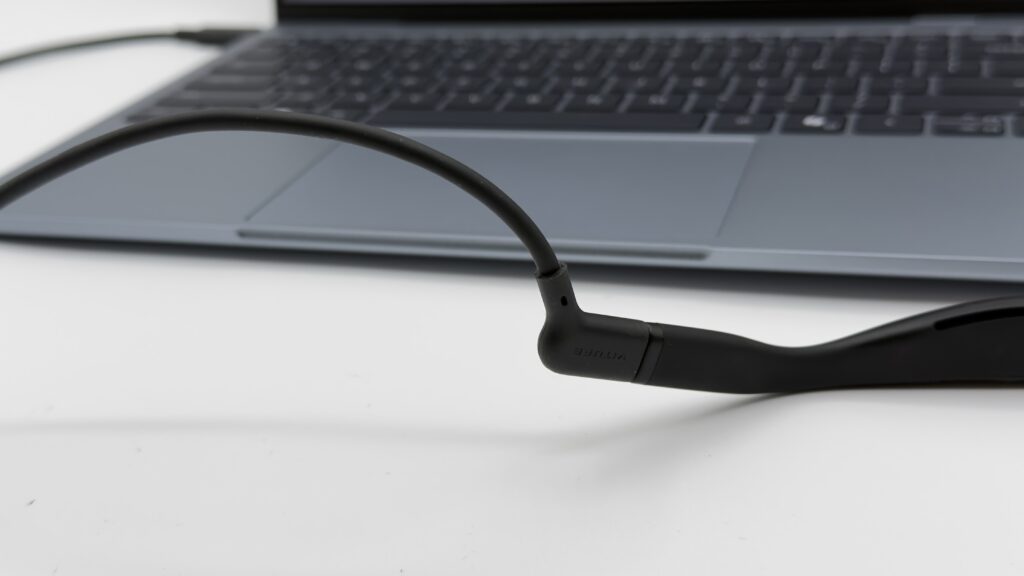
Also right out of the box, the Viture XR Glasses Pro 2 work with many handheld gaming systems, including the ROG Ally, Stream Deck, and Legion Go devices. With the addition of an optional dock, the glasses can connect with a traditional console gaming system, such as a Nintendo Switch, Sony PlayStation, or an Xbox.
What Is It Like Using the Viture XR Glasses Pro 2?
I found the overall experience to be extremely enjoyable. Once I was able to get past the fact that the Viture XR Glasses Pro 2 must be connected to a USB Type-C cable and another computer or device to function, my experience using them was beyond expectations in terms of the comfort of the glasses, the picture quality, and the sound quality they’re able to generate.
Upon putting the glasses on my face, it took a few seconds to manually adjust the myopia adjustment dials to accommodate my eyeglass prescription needs. I also recommend quickly selecting the appropriate nose pad size (from those provided), and then adjusting the nose pad height, followed by the temple angle to ensure a perfect fit. The closer the micro-OLED displays within the glasses are to the wearer’s eyes, the sharper the picture quality will be.
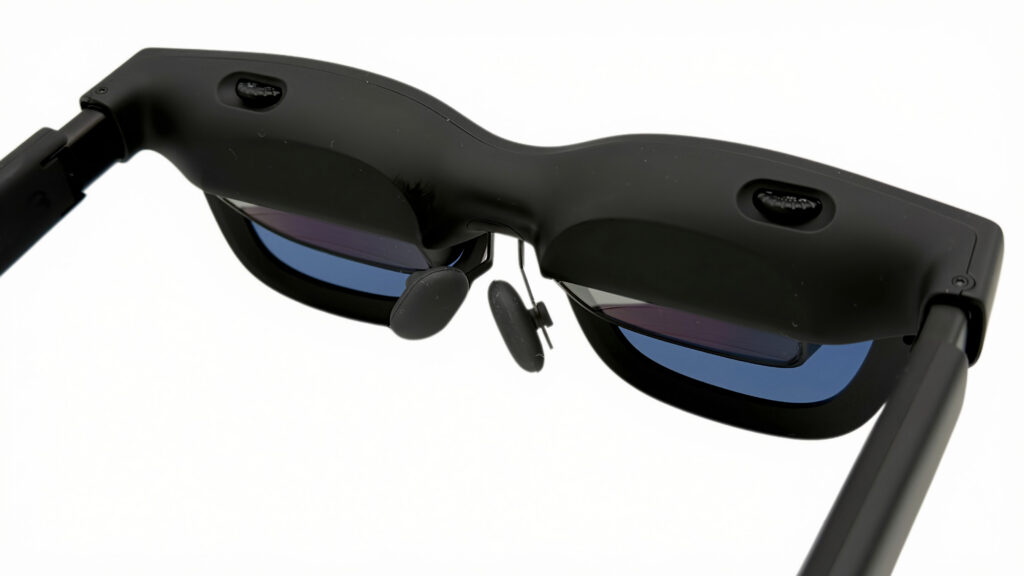
The 1080p picture resolution is consistently sharp, bright, and smooth, even when watching fast-moving content, like sports. The displays are designed to generate low blue light and provide a flicker-free viewing experience to prevent eye fatigue. I found this works well, but for me, a bit of eye fatigue did kick in after two to three hours of continuous use.
Meanwhile, whenever I watched content that supported spatial audio, the viewing experience became that much more impressive. On the bottom of the left temple of the eyeglasses are small, but easily accessible buttons for controlling the picture brightness, volume, and more.
When using the glasses exclusively to view video content, for example, placing the included lens shades over the outside of the lenses keeps ambient light from washing out the picture quality. The Viture XR Glasses Pro 2 also come with a hardshell case. Using it is an absolute necessity for transporting and storing the glasses, since the glasses themselves are primarily made from light plastic that could easily break as a result of being accidently dropped, bent, or crushed.
While the case is well made, it does not offer a separate compartment to store the required USB Type-C cable. I found that if the cable is simply placed in the case with the glasses, its metal ends could scratch the lenses.
The SpaceWalker app for mobile devices and software for computers unlocks different features based on what the glasses are connected to. When using it with a laptop, for example, you can transform the computer’s single display into three separate virtual displays. So, based on where you look, you can see a different virtual display or view all of them at once.
If you want the glasses to work independently of a computer or mobile device, you could invest in the Viture Pro Neckband ($328). This allows the glasses to serve as more traditional “smart glasses” that can be controlled using hand and head movements and more. However, when you combine the cost of the Viture XR Glasses Pro 2 and this neckband accessory, there are less expensive options that can offer better performance, especially when it comes to navigating through 3D content and experiencing immersive gaming.
My Final Thoughts: Are the Viture XR Glasses Pro 2 Worth It?
In a word, yes. For the $299 price, the Viture XR Glasses Pro 2 are perfect for enjoying video content privately and experiencing what you’re watching on a virtual 146-inch screen with accompanying spatial audio. Unless you add optional accessories, these glasses won’t help you explore virtual 3D worlds. But, if you want to lie in bed, or sit on a couch or in an airplane seat, for example, and not disturb those around you while enjoying your favorite TV shows or movies, these glasses are perfect.
While these glasses can do more, especially when you use the free SpaceWalker software/app and optional accessories, there is more of a learning curve for handling these tasks. However, when the glasses are directly connected to a computer or mobile device using the supplied USB Type-C cable, the operation of the Viture XR Glasses Pro 2 is literally a matter of plug-and-play, with a very quick setup.
Viture XR Glasses Pro 2
I’ve thoroughly enjoyed watching video content using the Viture XR Glasses Pro 2, but using them as a computer or mobile device monitor gets a bit tricky if you need to see the device’s keyboard in order to type accurately (unless you use the SpaceWalker software/app). In my opinion (and based on my testing), the Viture XR Glasses Pro 2 are definitely worth the investment. You’ll likely enjoy using them yourself, but they also could make a great gift for someone in your life who loves the latest tech gadgets.
